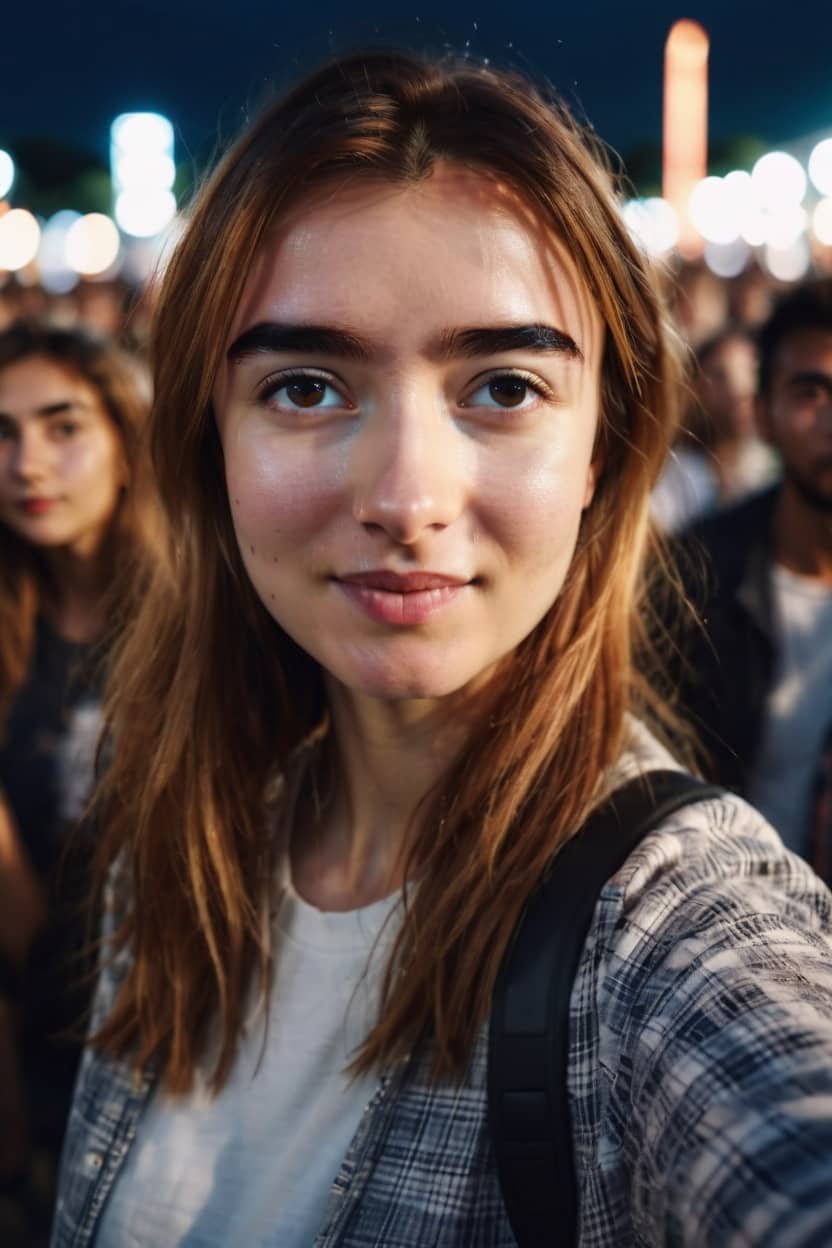
Ever wished you could instantly revamp your look, experiment with new styles, or even journey through different eras, all from a simple selfie? Welcome to the age of artificial intelligence, where a powerful AI selfie generator can do exactly that. These innovative tools are revolutionizing how we capture and present ourselves online, transforming ordinary photos into stunning, personalized masterpieces with just a few taps. From realistic touch-ups to fantastical avatars, the possibilities are as limitless as your imagination.
This guide will dive deep into the world of AI selfie apps, exploring how they work, what makes a great one, and spotlighting the top tools designed to help you craft the perfect digital self-portrait.
At a Glance: Your Guide to AI Selfie Generators
- What they are: Tools using AI to enhance, stylize, or transform your selfies.
- How they work: Upload 5-20 photos; AI analyzes features, applies styles, optimizes lighting, and customizes images.
- Why use them: Effortless professional-grade editing, creative expression, boosting online presence, and viral social media trends.
- What to look for: High-quality AI enhancements, intuitive interface, robust privacy and data security.
- Top picks include: Lensa, NightCafe, Portrait AI, ClipDrop, MyHeritage, and many more offering unique features.
Understanding the Magic: What Are AI Selfie Generators?
At its core, an AI selfie generator isn't just another photo filter. It's a sophisticated digital artist, powered by artificial intelligence and deep learning models, designed to transform your photos with intelligence and flair. Think of it as having a professional retoucher, a digital makeup artist, and a costume designer all rolled into one, instantly accessible from your device.
These tools take your everyday photos and, through advanced algorithms, optimize lighting, refine facial features, remove blemishes, and apply a myriad of styles and effects. The goal is to create natural-looking, high-quality images without requiring any traditional photo editing expertise from your side.
How the Transformation Happens:
The process is remarkably straightforward, yet the technology beneath is complex. When you use an AI selfie generator:
- Upload & Analyze: You typically start by uploading a handful of photos (usually 5-20). This initial set allows the AI to "learn" your unique facial features, skin tone, bone structure, and expressions. It builds a digital model of your face.
- Style Selection: Next, you choose a desired style, theme, or effect. This could range from subtle enhancements like smoother skin or brighter eyes, to dramatic transformations like a cartoon avatar, a historical portrait, or a cyberpunk persona.
- AI Integration: The AI then takes its learned understanding of your face and meticulously integrates the chosen style. It doesn't just overlay a filter; it intelligently adjusts elements like lighting, shadows, colors, and even facial structure to ensure the new look blends naturally with your existing features.
- Refine & Output: The result is an appealing selfie that reflects your chosen aesthetic, often looking as though it was professionally shot and edited.
This intricate process simplifies photo editing, opening up a world of customization for everyone, regardless of their technical skills. It's no wonder AI-generated selfies, portraits, and avatars have become a viral sensation, helping individuals enhance their online presence and engage with communities in exciting new ways.
Picking Your Perfect AI Selfie Partner: Key Considerations
With so many options available, how do you choose the right AI selfie generator for your needs? It boils down to three crucial elements:
- Quality of AI Enhancements: This is paramount. A good AI selfie tool should produce results that look natural, not artificial or "uncanny valley." Look for generators that offer realistic facial retouching, intelligent lighting optimization, and seamless integration of chosen styles. The goal is to elevate your look, not distort it. Pay attention to how well the AI handles details like hair, skin texture, and eye reflections.
- Ease of Use and Interface Design: A powerful tool is only as good as its usability. The app should have an intuitive interface that makes navigation and style selection a breeze. You shouldn't need a tutorial to figure out how to upload photos or apply an effect. A straightforward, user-friendly experience ensures you can unleash your creativity without getting bogged down in complex menus.
- Privacy and Data Security Measures: You're entrusting these apps with your personal images—some of the most sensitive data you possess. Before committing to any tool, investigate its privacy policy. Does it clearly state how your photos are used, stored, and deleted? Are your images encrypted? Do they promise not to share your data with third parties? Robust security measures are non-negotiable to protect your personal information in our increasingly digital world.
By keeping these factors in mind, you can select an AI selfie generator that not only meets your creative demands but also respects your digital privacy.
The Ultimate Lineup: Top AI Selfie Generator Tools & Apps
Ready to explore the best tools out there? Here’s a curated list of top AI selfie generators, each bringing unique strengths to the table, along with their key features, pros, cons, and pricing models.
1. Lensa by Prisma AI
Best for: Comprehensive Inbuilt Image Editing with artistic flair.
Lensa burst onto the scene with its viral "Magic Avatars," captivating users with its ability to transform selfies into stunning, stylized portraits. It's more than just an avatar generator, though; it’s a robust editor.
- Features: Beyond its famous AI avatars, Lensa offers "Magic Correction" for facial retouching and blemish removal, sophisticated background blur, and customizable backdrops to replace your existing setting. It also boasts an extensive library of art styles and filters, allowing for immense creative freedom.
- Pros: Its advanced customization for AI avatars truly stands out, offering over 200 diverse styles. The interface is exceptionally smooth and user-friendly, making the creative process enjoyable.
- Cons: Some users have reported glitches, particularly concerning facial representations for individuals with darker complexions. Additionally, you need to upload at least 10 photos to start the avatar generation process, which might feel like a high initial commitment for some.
- Pricing: Monthly: $7.99; Annual: $29.99.
2. NightCafe
Best for: Versatile AI Face Generation, especially for those who enjoy community and text-to-image creation.
NightCafe isn't just about selfies; it's a comprehensive AI art platform that excels in generating diverse images, including unique facial transformations.
- Features: This platform shines with its text-to-image generation capabilities, allowing you to describe your desired selfie or portrait and watch the AI bring it to life using stable diffusion and DALL-E 3 models. It offers fine-tuning options for SDXL 1.0 models, fosters community interaction through chat rooms, and enables style transfers to convert photos into famous painting styles.
- Pros: A significant advantage is that credits are refunded for failed image generations, mitigating wasted resources. It offers flexible pay-as-you-go credit options and even provides a print-on-demand facility for your digital masterpieces.
- Cons: Fine-tuning services are not available in the free version. It lacks direct customer support chat, which can be frustrating for immediate issues. Importantly, it's not available on app stores, requiring you to access it via web and potentially run stable diffusion locally for advanced uses.
- Pricing (monthly): AI Beginners: $4.79 (100 credits, 310 SDXL images, 1 free fine-tune, DALL-E 3 & Ideogram access); AI Hobbyist: $7.99 (200 credits, 410 SDXL images); AI Enthusiast: $15.99 (200 credits, 710 SDXL images, 2 free fine-unes); AI Artist: $39.99 (1400 credits, 1,610 SDXL images, 3 free fine-tunes).
3. Portrait AI
Best for: Creating classical, artistic portrait-style selfies.
If you've ever wondered how you'd look as a subject in a Renaissance painting, Portrait AI is your answer. It specializes in transforming modern selfies into timeless art.
- Features: It boasts a wide range of artistic styles, from cartoons and HD portraits to unique seasonal themes like Halloween and enchanting children's styles. With over 100 creative filters and accurate facial recognition, it automatically adjusts your features to fit the chosen artistic aesthetic.
- Pros: The free version already delivers premium-quality classical portraits without requiring any account setup. A major plus is the absence of watermarks, even on free-version outputs.
- Cons: Customization options in the Android version are notably limited. A significant drawback is its potential underperformance for people of color, as its AI is primarily trained on European ethnicity data, leading to less accurate or appealing results for diverse users. It also lacks in-app chat support.
- Pricing: Free version available. Premium portraits: $19.99/month, $4.99/week.
4. ClipDrop
Best for: Advanced lighting and object manipulation in photos.
ClipDrop, now part of Stability AI, brings powerful generative AI tools to your fingertips, making complex photo editing remarkably simple.
- Features: Its standout "Generative Fill" allows you to replace, remove, or add elements to your photos seamlessly. "Swap" lets you switch people's faces, "Cleanup" eradicates unwanted objects or text, and "Reimagine" generates multiple alternative versions of your image. Features like relight, reimagine, uncrop, and sky replacer are also included in the free version.
- Pros: ClipDrop integrates smoothly with popular design tools like Photoshop and Figma, enhancing workflow for creative professionals. The Pro version offers the unique ability to download depth and normal maps, valuable for 3D projects.
- Cons: The quality of swapped faces can sometimes be subpar, which might be a concern for those looking for highly realistic results. Downloaded image resolution is limited to 72 dpi, potentially impacting print quality.
- Pricing: Free version available. Annual plan starts from $11/month.
5. MyHeritage
Best for: Historical selfie transformations and animating old family photos.
MyHeritage is more than a genealogy platform; its AI capabilities allow you to time-travel your selfies and breathe new life into family history.
- Features: The "AI Time Machine" creates hyper-realistic avatars across various historical periods, letting you see yourself as a Viking, a Victorian lady, or a flapper. "Deep Nostalgia" animates old family photos, making ancestors "blink and smile." "MyHeritage In Color" colorizes black and white pictures. It requires 10-25 uploaded photos for avatar generation.
- Pros: The quality of the generated historical transformations is exceptional, delivering surprisingly authentic results. It provides 8 AI avatars for each chosen theme, offering variety.
- Cons: The most celebrated features, like Deep Nostalgia and the full AI Time Machine experience, are often exclusive to specific "time travel" or premium packages. The selection of historical time periods, while diverse, can feel somewhat limited for avid history buffs.
- Pricing: Avatar package: $20 for ~300 images; Time travel package: $24 for ~500 images; All-inclusive package: $36 for ~$800 images.
6. AI-ART Tokyo (AI Gahaku)
Best for: Anime-style selfie generations.
For fans of Japanese animation, AI-ART Tokyo (formerly AI Gahaku) offers a delightful way to transform your selfies into vibrant anime characters.
- Features: Its core strength lies in photo-to-anime conversion and text-to-anime generation. You get robust customization options for elements like eye shape, hair color, and background, along with various anime style transfers. It also allows custom filter creation by copying portraits.
- Pros: With over 300 filters in the premium package, creative options are vast. A unique feature is the ability to import generated images into Animal Crossing, appealing to gamers. Critically, uploaded photos are automatically deleted from the server after editing, offering peace of mind regarding privacy.
- Cons: Commercial use of generated images requires purchasing additional image credits, which is an important consideration for creators. The free version often yields results of lower quality compared to the paid subscription.
- Pricing: Free version available. Paid plan starts at $4.99/month.
7. PhotoRoom
Best for: Professional-quality selfie edits, especially for e-commerce and social media.
PhotoRoom excels at creating clean, professional product photos and equally impressive, well-edited selfies, making it a favorite among small businesses and influencers.
- Features: "AI Expand" intelligently extends image backgrounds, "Batch Mode" allows for simultaneous editing of multiple images, and "AI Backgrounds" generates unique, contextually relevant backgrounds. "AI Upscale" adjusts resolution for crystal-clear sharpness.
- Pros: It offers smart templates that can provide selfie recommendations, includes useful widgets, and provides a crucial before/after preview option to gauge your edits.
- Cons: The free plan limits exports to 250, which can quickly be reached for active users. Background removal, while generally good, may struggle with overly complex or busy backgrounds, requiring manual tweaks.
- Pricing: Free plan available. Paid plan starts at $14.99/month.
8. VanceAI
Best for: Detailed image enhancement, especially for fixing common photo problems.
VanceAI offers a suite of powerful AI tools designed to improve image quality, from sharpening blurry photos to upscaling without loss.
- Features: It includes photo-to-cartoon conversion, an "AI Image Sharpener" for blurry images, an "AI Image Denoiser" for low-light photos, and an "AI Photo Upscaler" that can enlarge images up to 8 times without quality degradation.
- Pros: VanceAI offers API integration, which is a boon for developers and businesses. It allows saving and changing authorized devices, and provides an extended download service with credits.
- Cons: Output formats are limited to JPG and PNG, which might restrict users needing other file types. Image descriptions for AI generation have a restrictive 140-character limit, and generated images are saved on the server for only 24 hours, requiring prompt downloads.
- Pricing: Free version available. Credit-based pricing: 100 credits for $4.95, 200 for $7.95, 500 for $12.95, 1000 for $17.95. Subscription plans: Monthly: $39.90; Yearly: $99.90; Lifetime: $129.90.
9. Fotor
Best for: Easy AI selfie editing with a wide range of filters and effects.
Fotor is a versatile online photo editor that has integrated strong AI capabilities, making it accessible for casual users and powerful enough for more demanding tasks.
- Features: It provides a playful "Fisheye filter," options to "Darken Image" for dramatic moods, a "Drip effect," and a vibrant "Rainbow filter." Beyond these, it offers extensive editing suites including basic adjustments, effects, and beauty tools.
- Pros: Users receive extra credits specifically for AIGC (AI-Generated Content) and AI filters, encouraging experimentation. Fotor includes over 10 additional in-app tools, expanding its utility. Crucially, it offers instant chat support via an AI assistant, making troubleshooting quick and easy.
- Cons: Fine-tuning options are somewhat limited compared to more specialized editors. It can produce sub-par output for images with complex lighting conditions, where the AI might struggle to interpret nuances.
- Pricing (monthly): Fotor Basic: $0 (basic editing, 50,000+ templates, 500MB cloud storage); Fotor Pro: $3.33 (advanced features, 100,000+ templates, 2GB cloud storage, 100 extra credits/month); Fotor Pro+: $7.49 (10GB cloud storage, 300 extra credits/month).
10. Artguru
Best for: Inspirational and highly creative AI-generated portraits and avatars.
Artguru is designed for those who love to experiment and draw inspiration from trending styles, offering a broad canvas for AI art.
- Features: It includes a "Magic Eraser" to remove distracting elements, "Multi-Avatar Generation" that can create up to 100 avatars at once, and robust "Face Swap" capabilities for selfies, videos, or even group photos with up to five faces. Its "AI Chat" feature allows you to generate images from text prompts.
- Pros: Artguru provides trending style suggestions, keeping you updated with popular aesthetics. It encourages experimentation with diverse themes like watercolor, oil painting, cartoon, cyberpunk, and anime, and allows users to save their favorite creations for easy access.
- Cons: Currently, Artguru only accepts credit card payments, which may limit accessibility for some users. It offers limited options for the number of images generated per batch and less granular customization for specific effects.
- Pricing (monthly): Standard: $3.34 (12,000 credits, skip queue, HD to 3k, watermark free, ad free); Plus: $5 (20,000 credits, includes all standard features).
11. Photoleap by Lightricks
Best for: Highly creative effects and artistic transformations.
Photoleap is an all-in-one photo editing app known for its powerful features that push the boundaries of digital artistry, now heavily integrating AI.
- Features: This app provides fantastic "Cartoon AI filters," allowing you to transform photos into paintings, and offers popular "AI Yearbook styles." The "AI Image Expander" intelligently extends image backgrounds, giving you more creative space. It also includes doodling functionality.
- Pros: All your photo sessions are automatically saved, preventing loss of progress. The doodling feature adds a unique layer of personalization, and the flexibility to adjust canvas size is great for various output needs.
- Cons: Photoleap has limited aspect ratio options, which can be restrictive for specific social media or print formats. Notably, there is no free plan available for the web version, with free access limited to the mobile app (often after a trial).
- Pricing: Starts from $5/month (after a 7-day free trial); Annual billing: $59.99/year.
12. BasedLabs
Best for: Playful and experimental AI transformations, especially for text-to-image enthusiasts.
BasedLabs offers a comprehensive suite of AI tools, particularly robust for users who enjoy generating images from text and want fine control.
- Features: It boasts an extensive "Prompt Library" with example prompts to spark your creativity and "Negative Prompt Suggestions" to help you exclude unwanted elements. It supports image-to-video conversion and offers API keys for developers. You can generate 4 images simultaneously and choose from 10 different text-to-image diffuser models.
- Pros: The platform provides extensive options for managing your generated images, including organizing and refining them. The variety of diffuser models allows for diverse artistic outcomes.
- Cons: It requires a Google or Discord account for login, lacking a direct email option which might be a barrier for some. It offers only three aspect ratio options. Settings like seed, denoise, and scheduler, while powerful, can be complex and overwhelming for general users new to AI art generation.
- Pricing (monthly): Creator: $20 (1,000 credits, premium AI tools, priority support); Pro: $39 (3,600 credits, includes all Creator features).
13. ImagineMe
Best for: Creating futuristic and highly customized AI-generated selfies with a focus on custom models.
ImagineMe is a platform that allows for a high degree of personalization, letting you train AI models on your specific aesthetic preferences.
- Features: It offers "Suggested Inspirations" based on other users' creations to kickstart your ideas, the ability to create "Custom Models" tailored to your unique style, and "AI Fill" for seamlessly removing or filling spaces in your images. An "Auto-Rotate" feature corrects camera angles for optimal composition.
- Pros: The flexibility to create truly custom models is a huge advantage for unique artistic expression. You can search for favorite showcases within the app, providing a rich source of inspiration. The platform boasts an impressive collection of high-quality templates.
- Cons: It offers only six model options for initial image generation, which might feel limited. The free version lacks lighting or coloring options, restricting creative control. For support queries, a Discord account is required, which may not be convenient for everyone.
- Pricing: Pay-as-you-go plan starts at $5 for 10 credits (1 credit equals 4 images).
14. Facetune by Lightricks
Best for: Precision editing and quick, professional-grade retouches.
Facetune is a long-standing leader in selfie editing, now enhanced with AI to provide even more precise and effortless adjustments.
- Features: It includes "Vanish" to eliminate unnecessary elements, "Heal" for flawless skin retouching and blemish removal, and "Whiten" to brighten teeth and eyes. It also features a trendy color analysis filter and allows adding images directly from Google Photos.
- Pros: Facetune offers an impressive up to 15 outfit options across 5 categories, letting you virtually try on new looks. It provides extensive presets across more than 20 categories, ensuring you always find the perfect aesthetic.
- Cons: Exports are limited to only three quality options, which might not be sufficient for high-resolution needs. The app also lacks a dark mode option, which can be less comfortable for editing in low-light environments.
- Pricing: Starts at $5/month (after a 7-day free trial).
15. Media.io AI Selfie Generator
Best for: General AI artistic or professional photo enhancement with a simple workflow.
Media.io offers a straightforward, web-based AI selfie generator perfect for quick transformations.
- Features: It focuses on "AI retouching" for blemishes and provides a diverse range of selfie styles. A unique feature is its virtual makeup application, allowing you to experiment with different looks.
- Actionable Steps: The process is designed for ease: 1. Choose an AI style. 2. Upload 5-20 selfie photos. 3. Submit, preview, then download. It's a testament to user-friendly design.
- Pros: Extremely easy to use with clear steps. Good for diverse styles.
- Cons: May lack the granular control of more professional tools.
- Pricing: Check website for specific current plans, often offers a free tier with premium options.
16. Snapbar AI Selfie Generator
Best for: Improving selfie aesthetics for business marketing and personal branding.
Snapbar takes AI selfie generation beyond personal use, offering features tailored for events, promotions, and boosting online presence.
- Features: It specializes in creating AI-generated photos ideal for events, marketing campaigns, and promotions. It's designed to help users boost their online reach and engagement. The tool supports AI photo customization, making it suitable for professional portfolios.
- Pros: Excellent for consistent branding and generating unique content for marketing. Simplifies the creation of diverse visual assets.
- Cons: May be more geared towards specific use cases rather than general artistic exploration.
- Pricing: Contact for business/event packages, likely customized.
17. Media.io Avatar Generator
Best for: Easy, free online AI avatar creation for beginners across multiple devices.
Another robust offering from Media.io, this tool makes avatar creation accessible to everyone.
- Features: It boasts a remarkably user-friendly interface. It supports major computer systems (Windows, iOS, MacOS) and smartphone mobile devices, ensuring accessibility. Users can customize facial expressions, remove backgrounds, and match colors for a personalized avatar.
- Pros: Free and very easy to navigate, making it ideal for those new to AI avatar generation. Cross-platform compatibility is a major plus.
- Cons: Might not offer the advanced artistic styles or detailed customization of dedicated avatar apps.
- Pricing: Free.
18. Canva
Best for: Converting text prompts to AI images and general design integration.
Canva, the popular graphic design platform, has expanded its capabilities to include powerful AI image generation, making it a go-to for designers and casual users alike.
- Features: Its versatile library of templates is a strong foundation. You can use text prompts to generate unique AI images, and then apply a range of filters and effects.
- Pros: Free for online users, making AI art accessible. Integrates seamlessly into Canva's broader design ecosystem, allowing you to incorporate AI selfies into presentations, social media posts, and more.
- Cons: While good for basic generation, deep customization of AI outputs might be limited compared to dedicated AI art tools.
- Pricing: Free version available. Canva Pro offers advanced features for $12.99/month or $119.99/year.
19. YouCam Makeup
Best for: Comprehensive face retouching, virtual makeup, and fun cartoon styles.
YouCam Makeup is a powerhouse for virtual beauty, leveraging AI to offer incredibly realistic makeup try-ons and impressive selfie enhancements.
- Features: It can remove unwanted objects with a simple "Removal" button. It offers an extensive array of makeup filters, effects, and hair colors to virtually experiment with your look. A popular feature is its aging simulator with a slide bar, letting you glimpse your future self.
- Pros: Unparalleled for virtual makeup and beauty edits. The aging simulator is a fun and engaging feature. Real-time application of effects is impressive.
- Cons: The sheer number of options can sometimes be overwhelming for new users. Some of the more advanced features might be locked behind a premium subscription.
- Pricing: Free version available. Premium subscription offers more features.
20. Media.io Photo to Painting
Best for: Effortless conversion of photos to artistic paintings.
For those who want to turn their selfies into digital art pieces with minimal effort, Media.io's Photo to Painting tool is an excellent choice.
- Features: It provides different artistic styles, including landscape, oil painting, and still life, allowing you to choose the perfect artistic medium for your photo. The tool automatically detects and converts images using a neural transfer algorithm, mimicking human artistic styles.
- Pros: Incredibly easy to use for artistic transformations. Your uploaded photos are automatically deleted from servers after 24 hours, ensuring privacy.
- Cons: Customization options for the painting style itself might be limited. It's more of a one-click solution than a deep artistic editor.
- Pricing: Free to use for basic conversions.
Beyond the Filter: Maximizing Your AI Selfie Experience
Getting the most out of your AI selfie generator isn't just about picking the right tool; it's also about understanding how to use it effectively and responsibly.
Tips for Best Results:
- Quality Input is Key: The AI is only as good as the data you feed it. Use high-resolution, well-lit photos as your base. Varied expressions and angles in your input photos (if the app requires multiple) will help the AI learn your face more comprehensively, leading to more consistent and natural results.
- Experiment Widely: Don't settle for the first style you try. Most apps offer dozens, if not hundreds, of options. Play around with different filters, themes, and effects to discover what truly resonates with your desired aesthetic.
- Understand the AI's Limitations: While incredibly powerful, AI still has its quirks. Be aware that some tools may perform better with certain skin tones, facial features, or complex lighting scenarios. Adjust your expectations accordingly.
Ethical Considerations: A Responsible Approach
As AI selfie generators become more sophisticated, it's crucial to consider the ethical implications:
- Bias in AI: As noted with some tools, AI models can inherit biases from their training data. This can lead to less accurate or less flattering results for individuals of certain ethnicities or features. Be mindful of these limitations and advocate for more inclusive AI development.
- Privacy and Data Security: Always review an app's privacy policy. Understand how your facial data is collected, stored, and used. Choose apps that prioritize user data protection, offering transparency and prompt deletion of uploaded images.
- Responsible Use and Deepfakes: The ease with which AI can alter images raises concerns about deepfakes and misrepresentation. Use these tools responsibly and ethically, being transparent when sharing AI-generated content. Avoid using AI to create misleading or harmful imagery.
Creative Applications: Tell Your Story
Beyond simple beautification, AI selfies offer incredible avenues for creative expression:
- Personal Branding: Create a consistent, eye-catching aesthetic for your social media profiles, professional headshots, or portfolios.
- Storytelling: Transport yourself into different narratives—a medieval knight, a futuristic astronaut, a comic book hero—and share imaginative stories with your audience.
- Virtual Try-Ons: Experiment with new hairstyles, makeup looks, or even outfit styles before making real-world changes.
- Digital Art & Avatars: Design unique avatars for gaming, virtual reality, or simply as a distinctive online identity.
Common Questions About AI Selfie Generators
You've got questions, we've got answers. Here are some of the most frequently asked queries about AI selfie generators:
Q: Are AI selfie generators safe for my data?
A: It depends entirely on the app you choose. Reputable apps have clear privacy policies outlining data handling, storage, and deletion. Always read these policies before uploading personal photos. Prioritize apps that delete your photos from their servers after processing or editing.
Q: Do AI-generated selfies really look natural?
A: The quality varies significantly between tools. The best AI selfie generators use advanced algorithms to ensure enhancements blend seamlessly, creating results that look natural and authentic. Lower-quality or less sophisticated tools might produce artificial or "over-edited" looks. Your input photo quality also plays a big role.
Q: Can I use AI selfies for commercial purposes?
A: This varies by tool and often by your subscription level. Some apps' free versions explicitly state that commercial use is restricted or requires purchasing additional licenses/credits. Always check the terms of service for the specific generator you're using if you intend to use the images for business or monetization.
Q: Are free versions of these apps good enough?
A: Many free versions offer a solid introduction to AI selfie generation, providing basic features and decent quality. However, they often come with limitations like watermarks, lower resolution outputs, fewer style options, or ads. Paid versions typically unlock premium features, higher quality, and an ad-free experience. For casual use, a free version might suffice, but for consistent, high-quality output, a premium subscription is usually worth it.
The Future of You: What's Next for AI Selfies?
The world of AI is evolving at a breathtaking pace, and AI selfie generators are no exception. Expect to see even more hyper-realistic transformations, real-time editing capabilities that work live through your camera, and seamless integration with emerging technologies like virtual reality (VR) and augmented reality (AR). Imagine instantly becoming a custom avatar in a metaverse meeting or having your selfie dynamically transform to match your mood in a video call.
As AI models become more sophisticated and ethical considerations are increasingly integrated into their design, these tools will offer even more inclusive, creative, and personalized ways to express yourself digitally.
Ready to Redefine Your Selfies?
The journey to transforming your look with artificial intelligence is both exciting and accessible. Whether you're aiming for a subtle enhancement, a dramatic artistic statement, or a fun historical avatar, there's an AI selfie generator out there perfectly suited for your needs. Take the leap, explore the diverse options, and unleash your creativity. Your next favorite selfie is just a few taps away.